Joel Paolo
Product Designer

Senior Product Designer

Sep 2021 – Oct 2022
Web, iOS, Android
Figma, Pendo, UserTesting, Intercom
Procare's internal analysis identified an ~$85M addressable market for curriculum and student assessments — the #1 ranked growth opportunity ahead of payroll services and CRM. With 130K+ teachers already using the platform daily, Procare had a delivery channel no curriculum company could replicate. The question wasn't whether to build this. It was how.
Rather than build curriculum content from scratch, I helped evaluate a partnership-first approach. After assessing 7+ curriculum providers against economics, integration willingness, and content quality, Learning Beyond Paper (LBP) emerged as the right launch partner — research-backed, willing to integrate fully, and eager to sign an exclusivity window for Procare's SMB market.
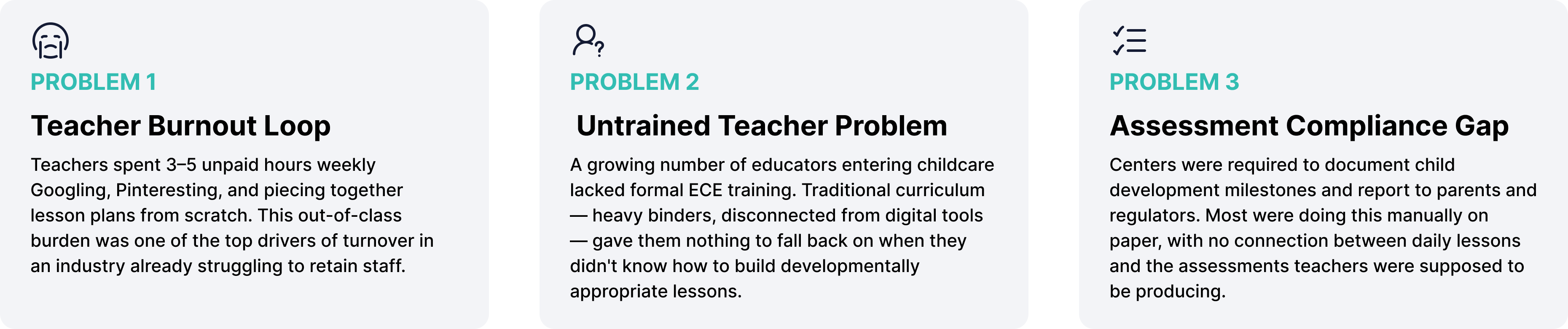
I was part of the early strategy sessions where these market opportunities were framed and evaluated. My contribution spanned the full product lifecycle — from the first customer interviews to standing in front of thousands of childcare operators co-presenting the finished product.
Discovery & Research
Before any design work started, I participated in stakeholder interviews, competitive research, and curriculum partner evaluations alongside the Senior PM and Product Ops team. We weren't validating a feature — we were deciding what category Procare should compete in, and how.
Design Solutions
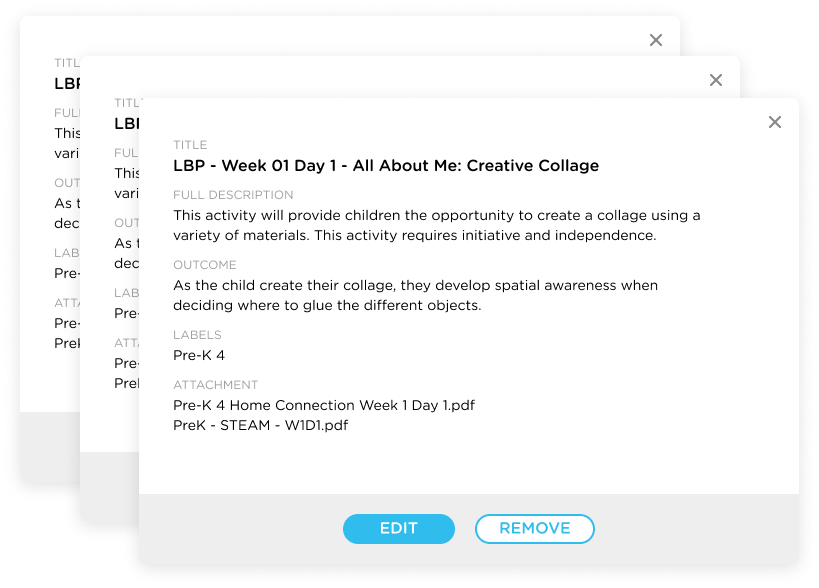
Before any UI could be designed, the LBP lesson catalog needed structure. I worked with engineering and LBP to define a tagging system organized around age group (Infants through Pre-K 4), activity category (STEAM, Language & Literacy, etc.), week numbers, and teacher-attached milestones.
Each lesson also carried two PDF attachments: a Home Connection doc for parents and a Teacher's Lesson Guide with step-by-step classroom instructions. Getting this right meant teachers could filter to exactly what they needed — instead of scrolling through 4,000 cards.
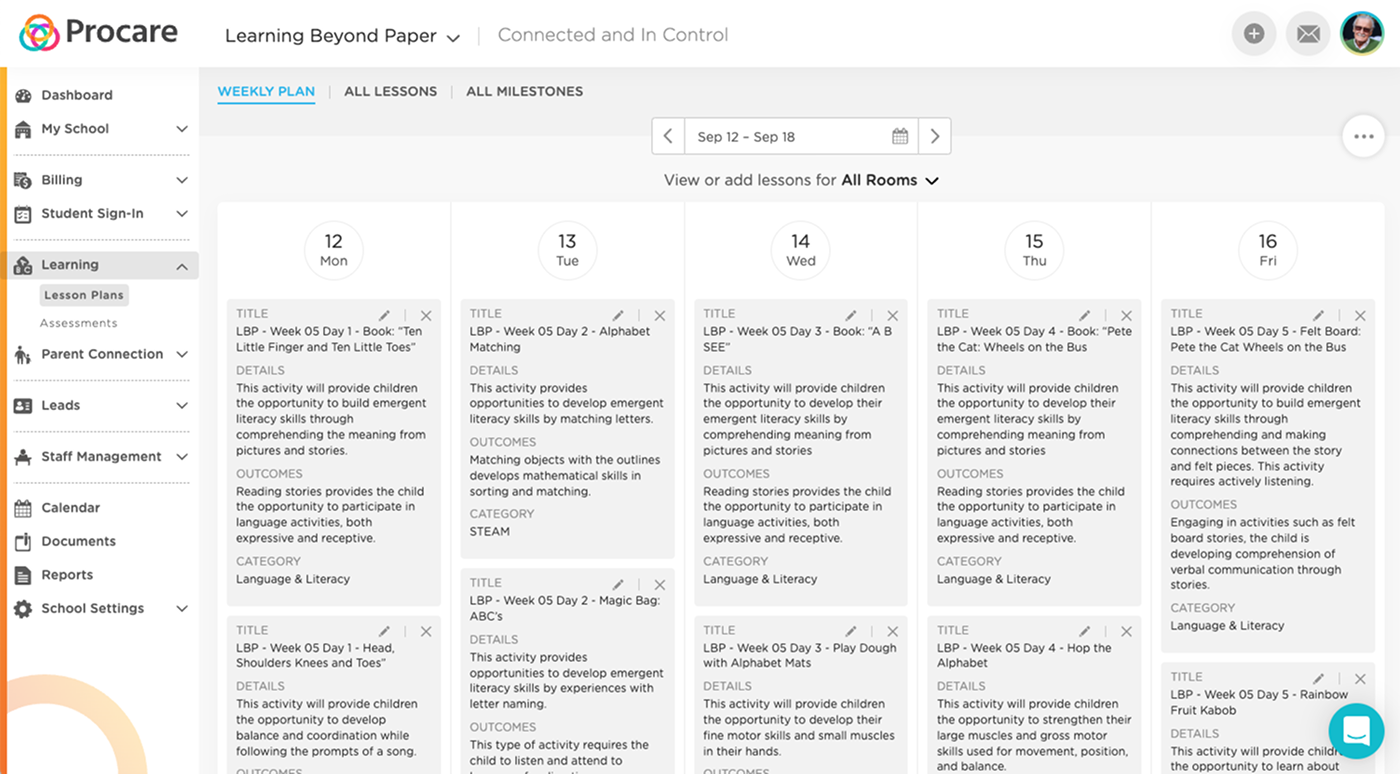
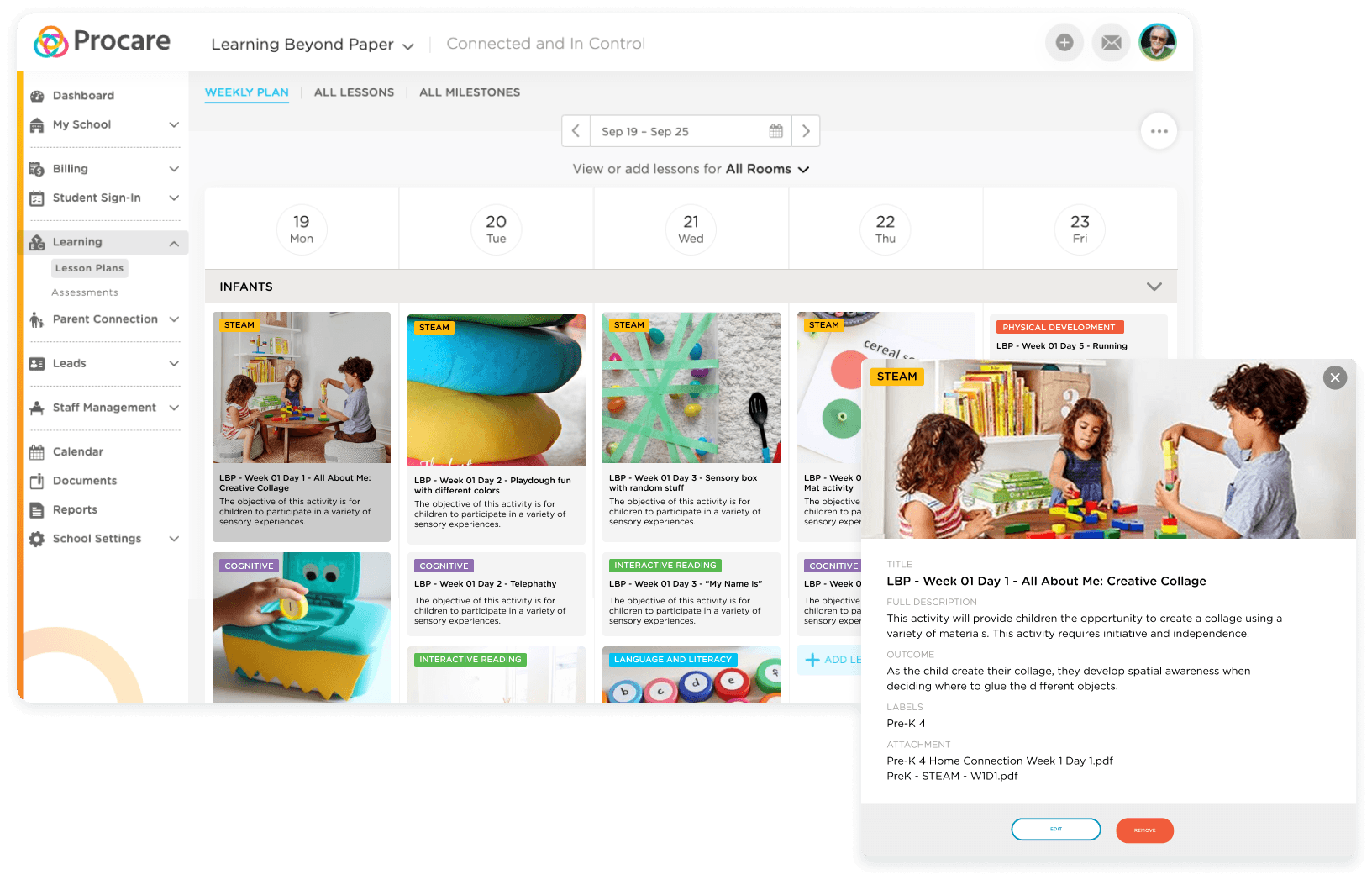
The lesson planning calendar was the center of the daily teacher experience. The design needed to communicate a lot at once — which rooms were planned, what lesson types were covered, and where the gaps were — without overwhelming anyone.
Color-coded STEAM badges, room filtering, and a persistent "+ Add Lesson" affordance let teachers and directors plan a full week's curriculum in under two minutes. A director could see all rooms at once; a teacher could focus only on their classroom.
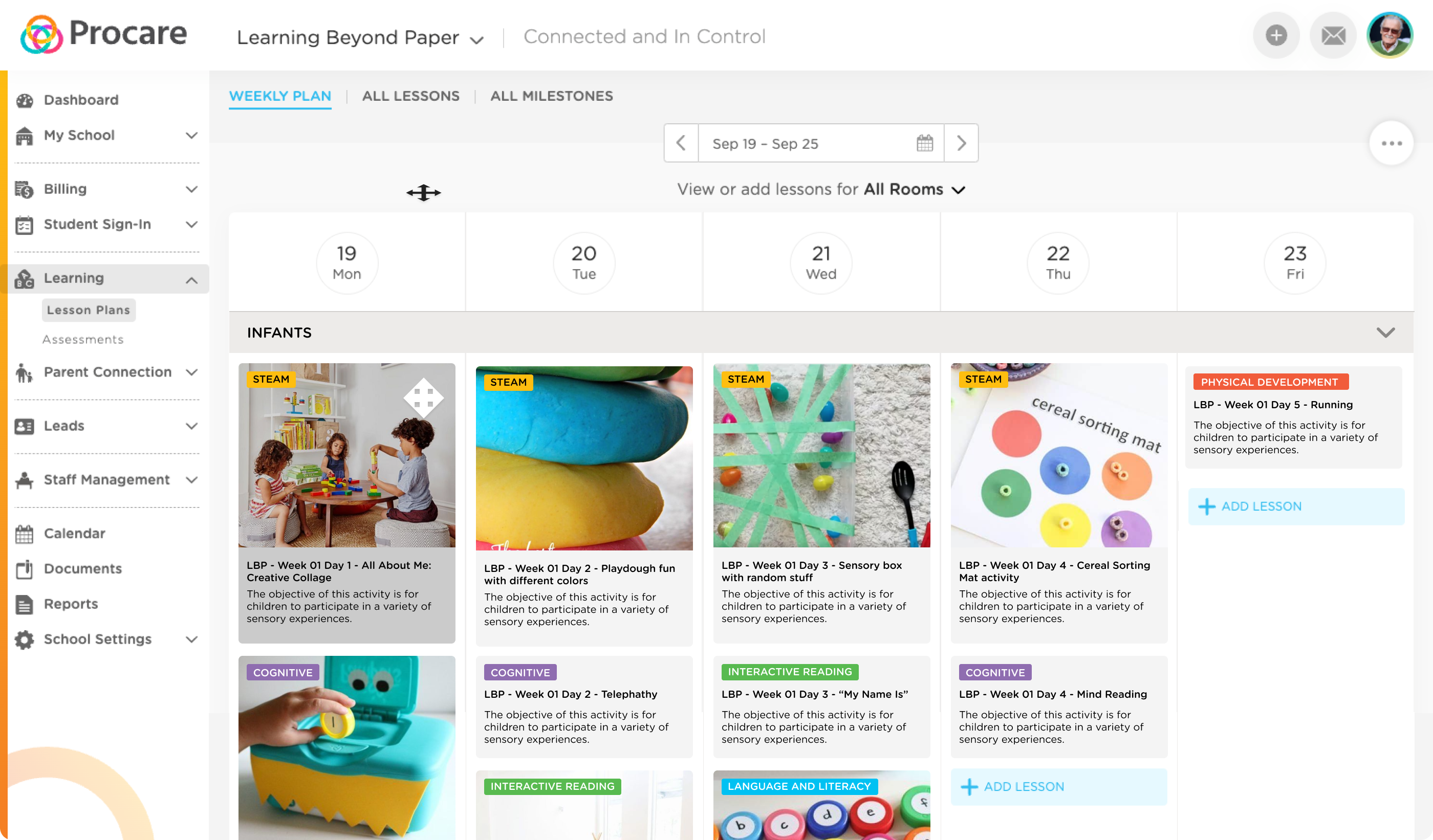
Final lesson planner — Color-coded activity categories (STEAM, Cognitive, Interactive Reading, Language & Literacy) let teachers instantly scan for coverage gaps across the week.
Solution 03
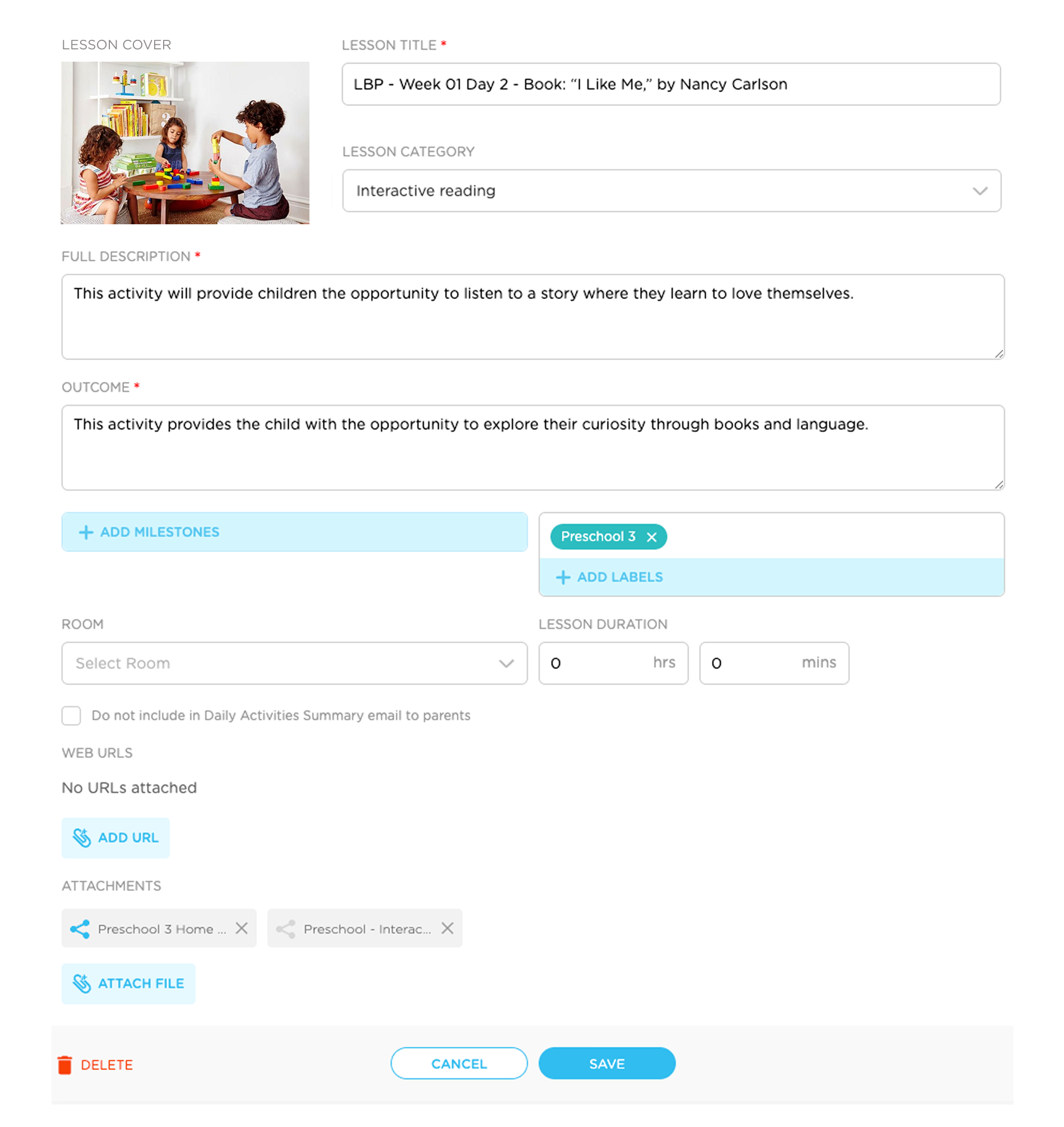
Every lesson was accessible at a glance through a detail modal: title, full description, learning outcome, age label, and PDF attachments — everything needed to prepare or share. Teachers could also create and edit their own lessons from scratch, attaching custom guides and milestone tags.
This became the critical bridge between LBP's third-party content and each school's own assessment framework. A teacher could take any LBP lesson and tie it to the milestones they needed to track for compliance.
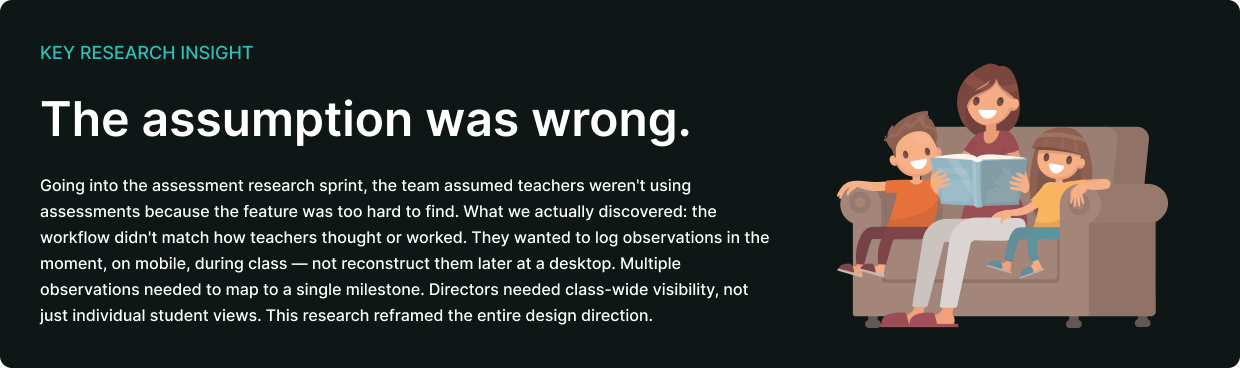
Procare had no assessment tool before this initiative. I designed it from the ground up — and the research we'd done before touching a single frame made sure it was built around how teachers actually worked, not how we imagined they might.
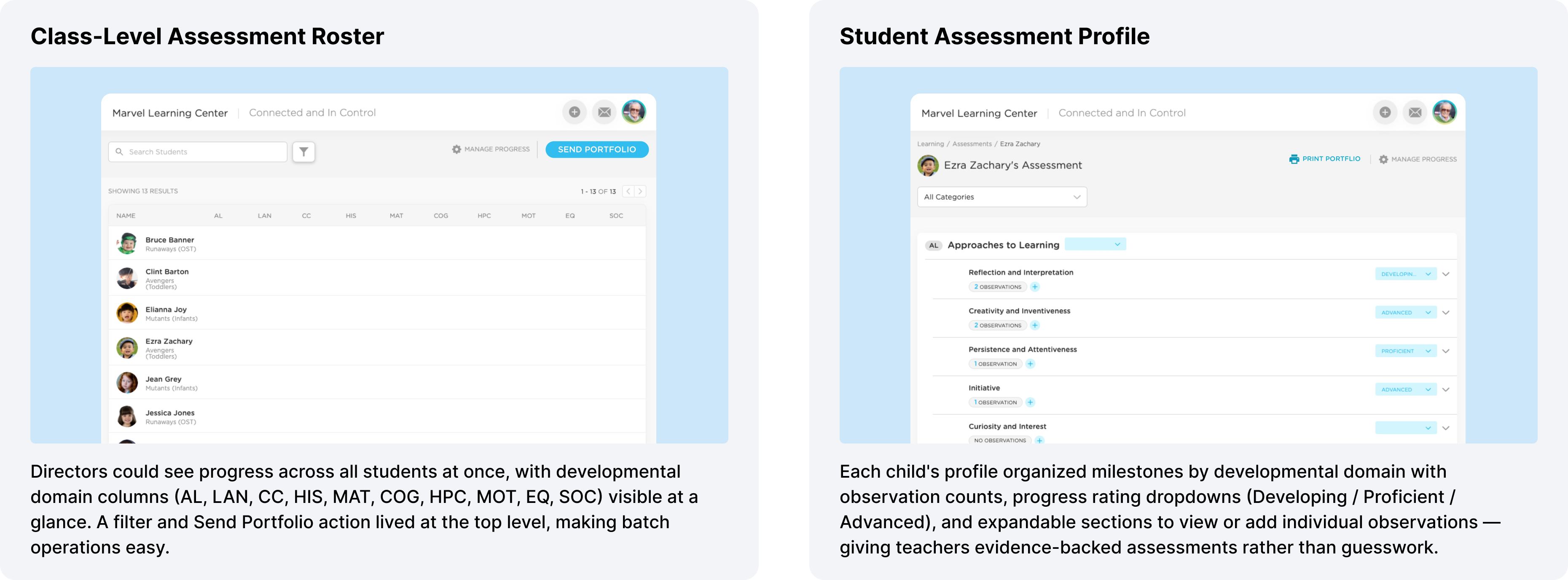
Assessment workflow — Observation counts, progress ratings, and category filters designed to match how teachers actually logged classroom data during the day.
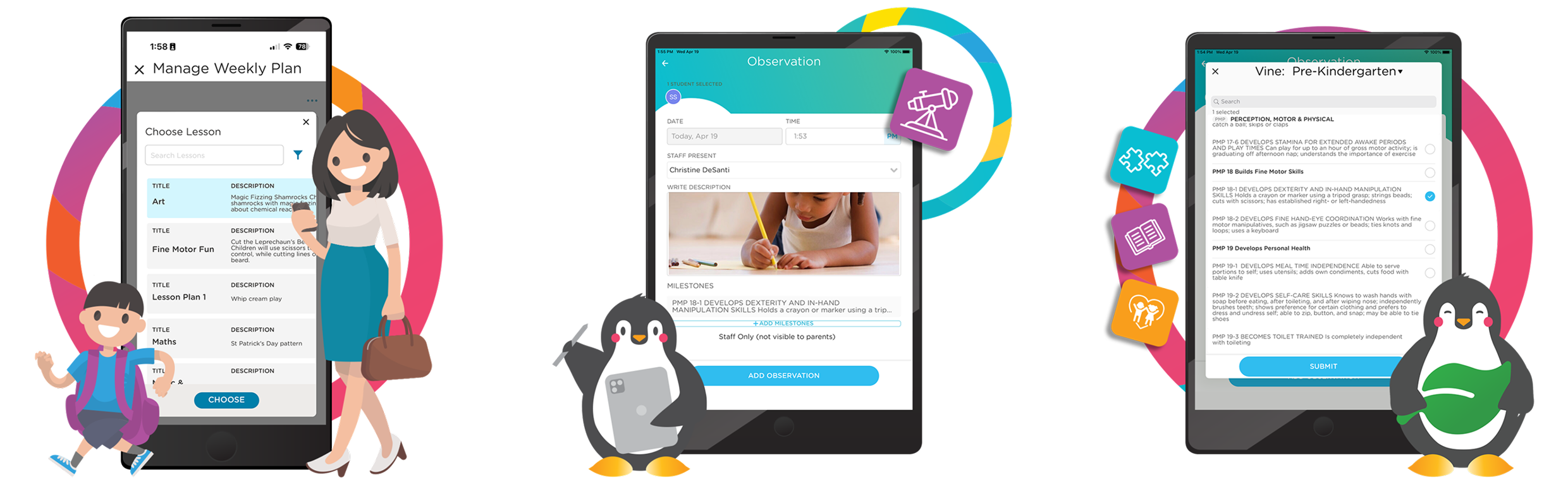
The end of the assessment cycle needed to be actionable — not just a record, but something a school could put directly in a parent's hands. I designed the full flow: from selecting students, to writing a message, to sending via push notification through the parent's existing app.
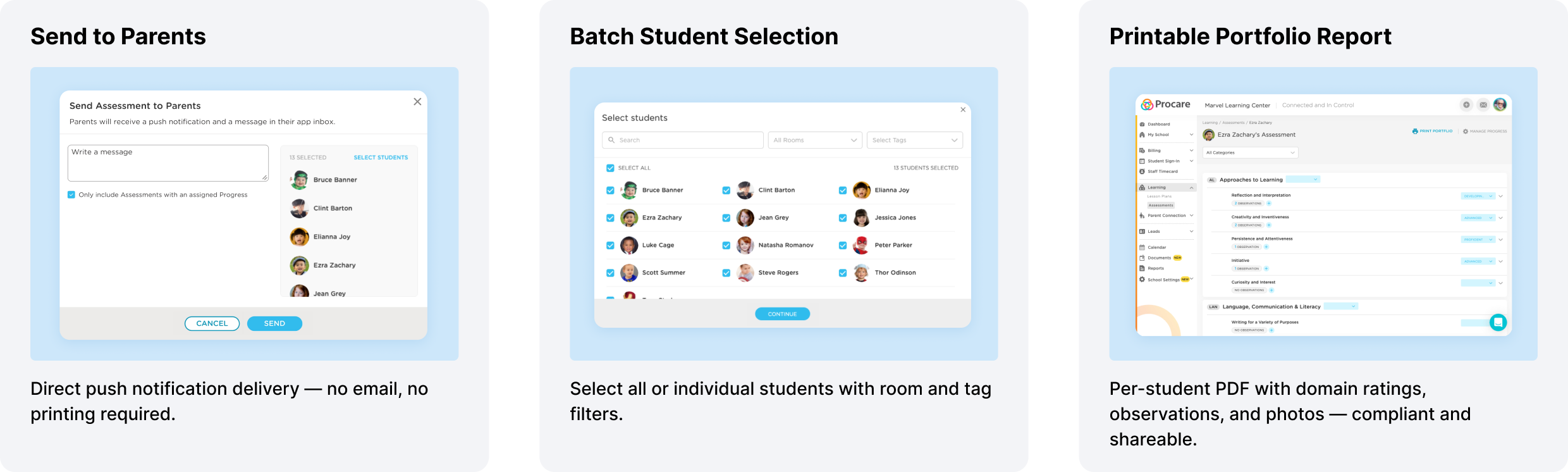
Portfolio flow — Teachers select students, write a personal note, and send comprehensive developmental reports directly to parents in one flow.

Getting existing Procare customers to adopt the add-on required designing the discovery and conversion experience from scratch. I designed the in-product upsell modal (surfaced inside Lesson Plans for non-subscribers), empty state marketing for the All Lessons tab, and an external landing page for the Procare + LBP integration.
The landing page drove the initial pilot signups and served as the primary conversion tool for the $50/month promotional launch pricing — which was later grandfathered in for early adopters at 50% off the standard rate.
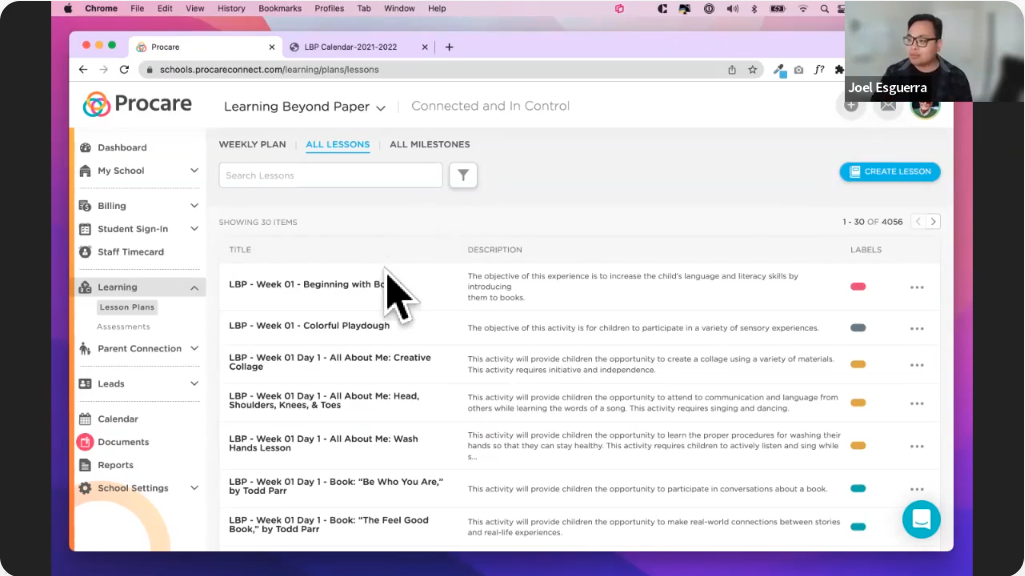
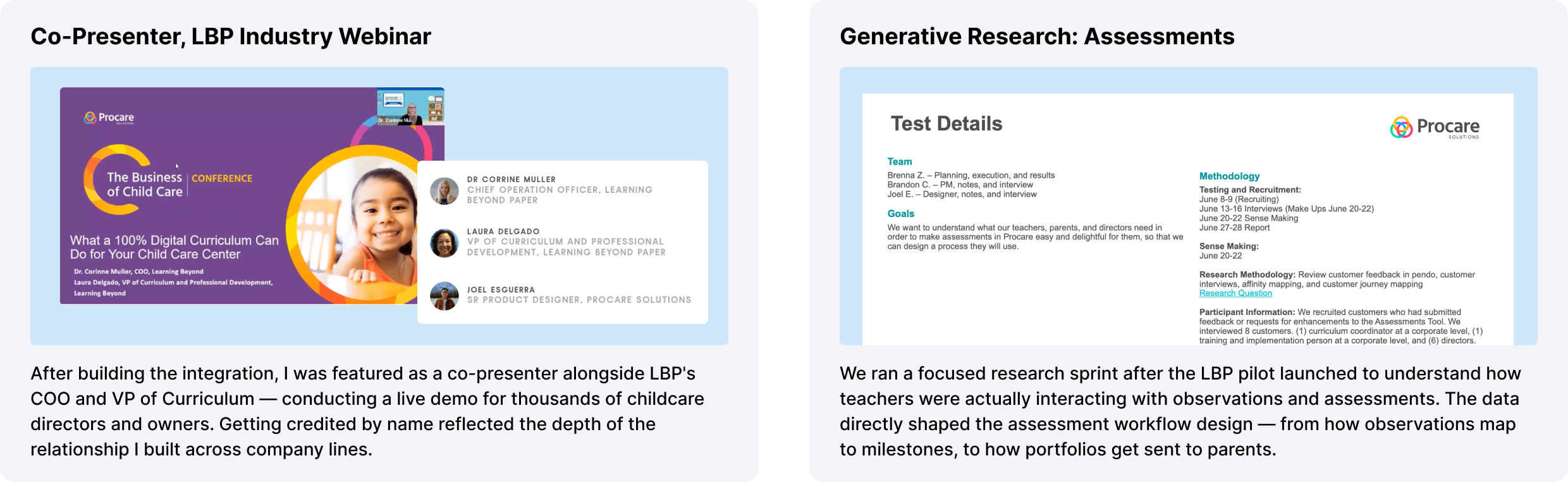
One thing that doesn't often show up in case studies: I became a named co-presenter for Learning Beyond Paper's industry webinar series — "What a 100% Digital Curriculum Can Do for Your Child Care Center."
Alongside LBP's COO and VP of Curriculum, I conducted the live product demo for an audience of childcare directors and owners. I walked them through the lesson catalog, weekly planner, mobile teacher experience, parent sharing flow, and resource library — then fielded live Q&A about the integration.
Getting credited as "Joel Esguerra, Sr. Product Designer, Procare Solutions" in that webinar wasn't just a nice moment. It reflected how deeply I'd built both the product knowledge and the cross-company relationship. When the people who built the curriculum wanted someone from Procare to explain how it worked in front of thousands of customers — they called the designer.
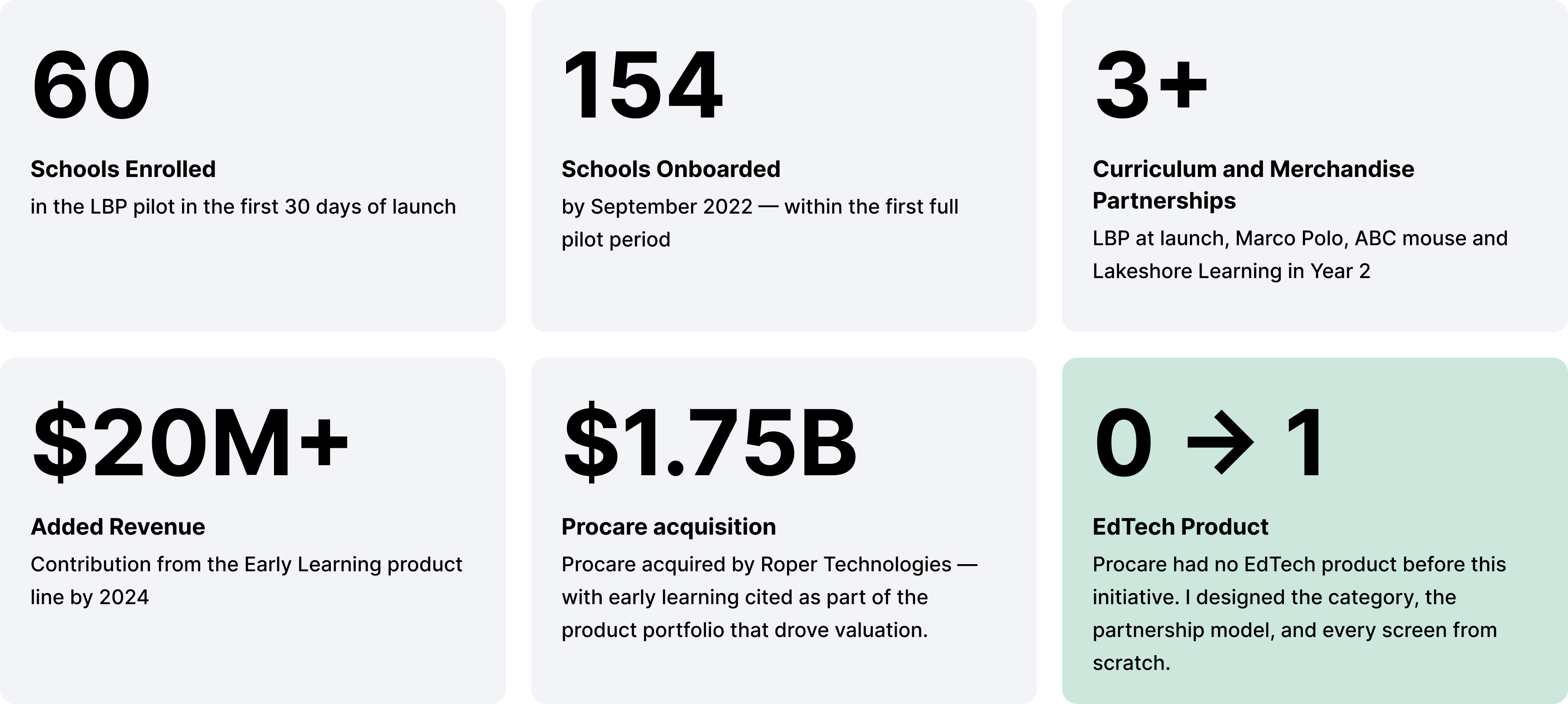
The most impactful design decisions weren't interface choices — they were earlier, in how we structured the data, chose the partnership, and sequenced the rollout. Understanding the strategic context made the design work matter beyond the screen.
The instinct to design a brand-new assessment tool and the lesson planner simultaneously would have been wrong. Launching the curriculum first and waiting for real usage data meant the assessment workflow was built on behavioral evidence, not assumptions.
The trust I built with the LBP team — from early integration conversations to co-presenting webinars together — made the partnership more functional and the product more coherent. When your design crosses company lines, the relationship work is how good design gets shipped.
Lesson planning first, then assessments, then portfolio reporting. Each layer depended on data from the one before it. Designing the system in the right order meant every decision was grounded in real evidence rather than product speculation.